Basic Ubuntu Commands
sudo (superuser do)
sudo is used to run programs or other commands with administrative privileges.
Basic Syntax
- $sudo apt-get install openssh-server

apt-get (advanced packaging tool-get)
apt-get is used to install, update, upgrade and remove any packages.
Basic Syntax
- $sudo apt-get install openssh-server
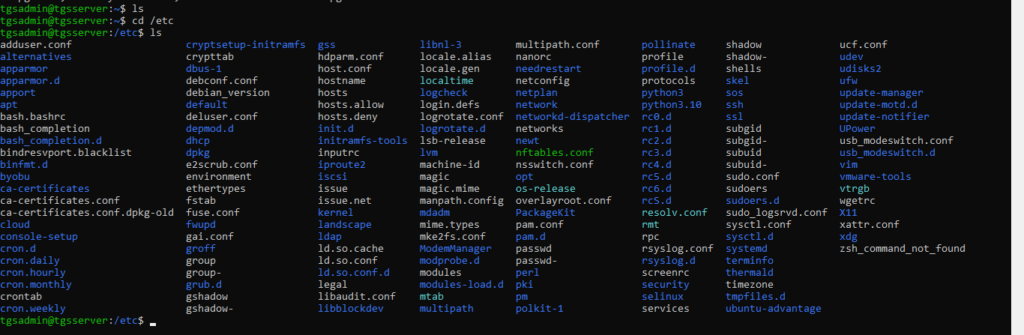
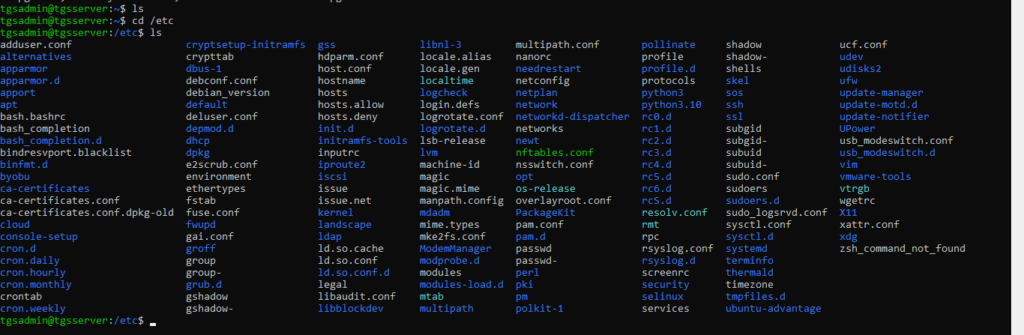
ls (list)
ls is used to list all files and folders in your current working directory.
Basic Syntax
- $ls
pwd (print working directory)
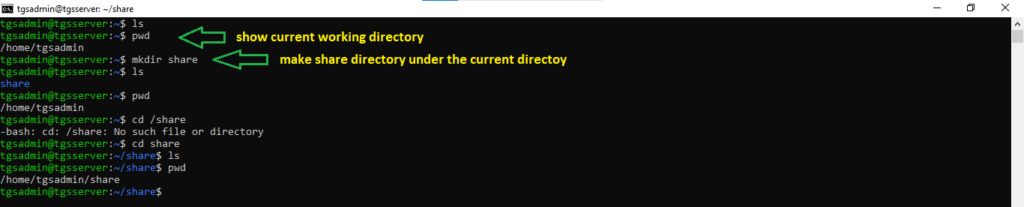
pwd is used to display the full pathname of the current working directory.
Basic Syntax
- $pwd

mkdir (make directory)
mkdir is used to create a new folder/directory into the current or any specified directory.
Basic Syntax
- $mkdir share
cp (copy)
cp is used to copy files and directories.
Basic Syntax
- $cp /source_path/source_filename /destination_path/destination_filename

mv (move)
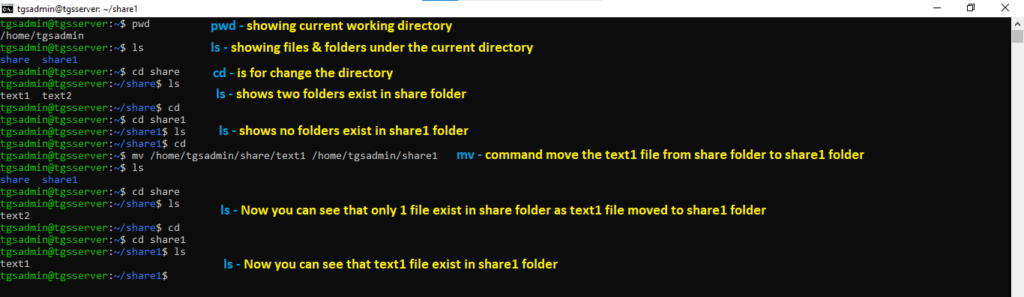
mv is used to move files and directories from one location to another or to rename them.
Basic Syntax
- $mv /source_path/source_filename /destination_path/destination_filename
rm (remove)
rm is used permanently delete files and directories from current or any specified directory.
Basic Syntax
- $sudo rm /source_path/filename

rmdir
rmdir is used to delete empty directories. To remove a directory that contains files or subdirectories, you must use the rm command with the appropriate options i.e. -R means recurcive.
Basic Syntax
Deleting Empty Directories
$ rmdir directory_name
Example
$ rmdir tgsdir
Deleting Non-Empty Directories
$ rm -R directory_name
Example
$ rm -R tgsdir
chmod
chmod is used to modify file or directory permissions. There are two ways to change permissions. These are:
- With letters (symbolic method)
- With numbers (octal method)
If you do not own a file, you cannot change its permissions, use sudo for administrative right to modify the permissions on the same.
Basic Syntax
Symbolic Method
$chmod [options] filename
User Options
| Symbol | Meaning |
|---|---|
| u | owner |
| g | group |
| o | others |
| a | all (same as ugo) |
Permission Options
| Symbol | Meaning |
|---|---|
| r | read |
| w | write |
| x | execute |
Operators
| Symbol | Meaning |
|---|---|
| + | add permission |
| – | remove permission |
| = | set exact permission |
Octal Method
$chmod 666 filename
Permission Value
| Permission | Value |
|---|---|
| r | 4 |
| w | 2 |
| x | 1 |
Examples:
Add read + write for everyone (Octal Method)
$chmod 666 file.txt
Breakdown:
- Owner → 6 (rw-)
- Group → 6 (rw-)
- Others → 6 (rw-)
Result:
-rw-rw-rw-
Remove write permission from group (Symbolic Method)
$chmod g-w file.txt
Add execute permission to owner (Symbolic Method)
$chmod u+x file1.txt
chown
chown is used to change the ownership of the file and folder. To change them, you usually need root (sudo) privileges.
Basic Syntax
$ sudo chown username filename
$ sudo chown -R username /path/foldername
Examples
Change ownership of file
$sudo chown vivek file.txt
Change ownership of folder
Changes owner of all files and folders inside /test by using -R
sudo chown -R vivek /test
chgrp
chgrp is used to change the group ownership of file and folder. To change them, you usually needs a root (sudo) privileges.
Basic Syntax
$ sudo chgrp groupname filename
$ sudo chgrp -R groupname /path/foldername
Examples
Change the group of file
$ sudo chgrp tgsgroup file.txt
Change the group of folder
Changes owner of all files and folders inside /test by using -R
$ sudo chggrp -R tgsgroup /path/test
passwd
passwd is used to change user password using terminal, to change a password admin rights required.
Basic Syntax
- $sudo passwd username

df (disk filesystem)
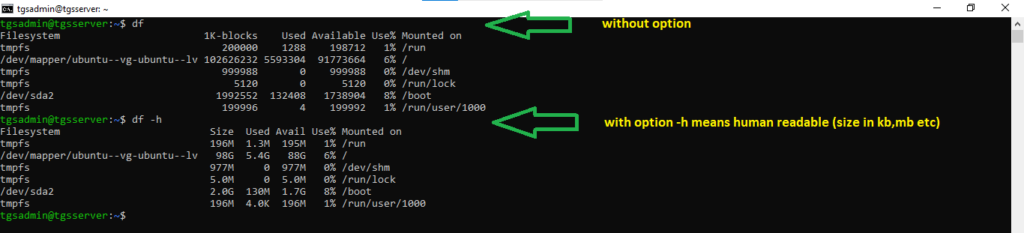
df is used to display the information about disk space usage or available on mounted filesystem.
Basic Syntax
- $df
- $df -h
du (disk usage)
du is used to estimate and display the disk space consumed by files and directories.
Basic Syntax
- $du
- $du -h
- $du -s

free
free is used to display the total amount of free and used physical memory and swap space in the system as well as the buffers anc cache used by kernel.
Basic Syntax
- $free

man
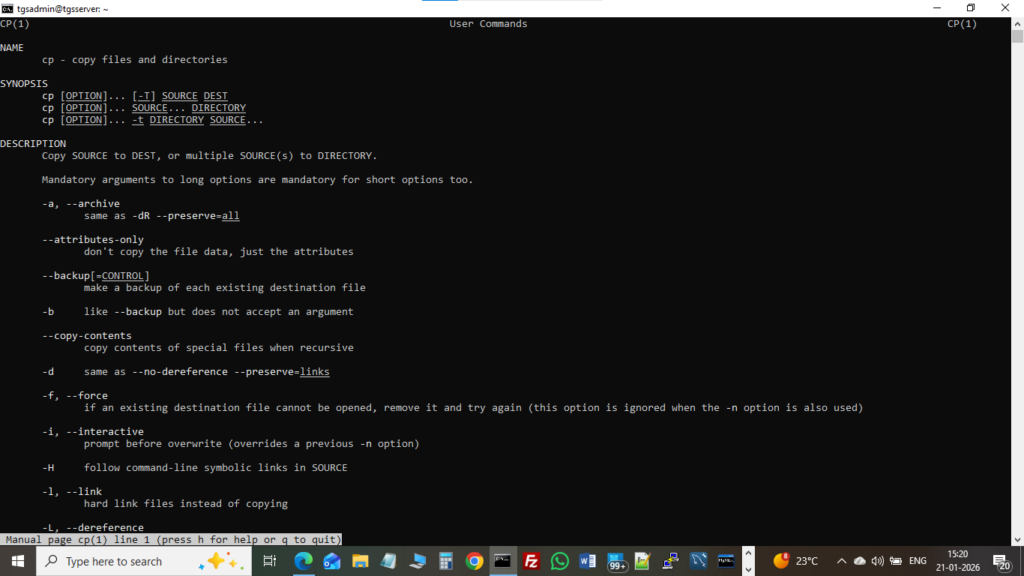
man is used to display a “manual page” that provides detailed information about command and their options.
Basic Syntax
- $man cp
–help
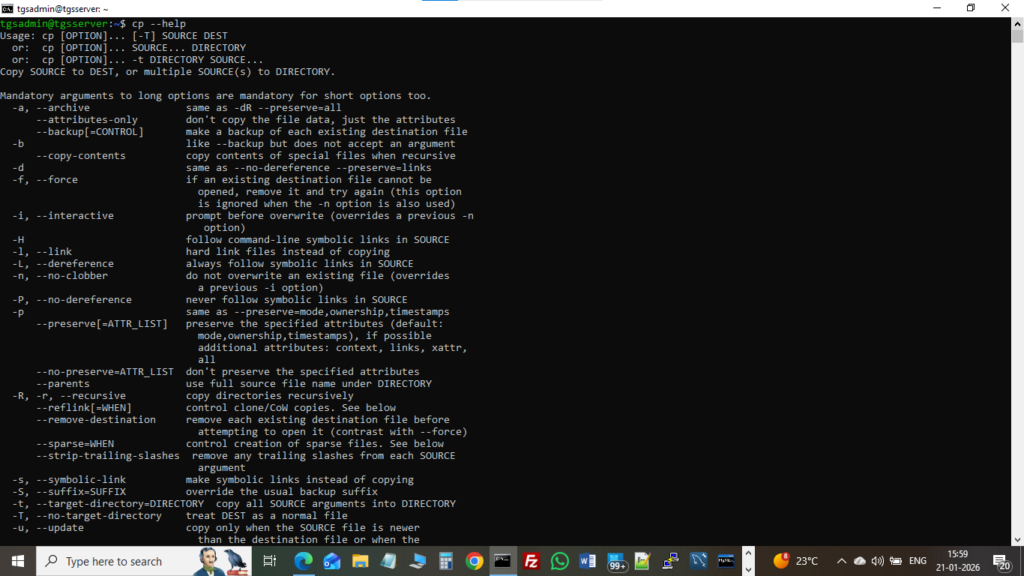
<command name> –help is used to display a brief usage summary and list of available options.
Basic Syntax
- $cp –help
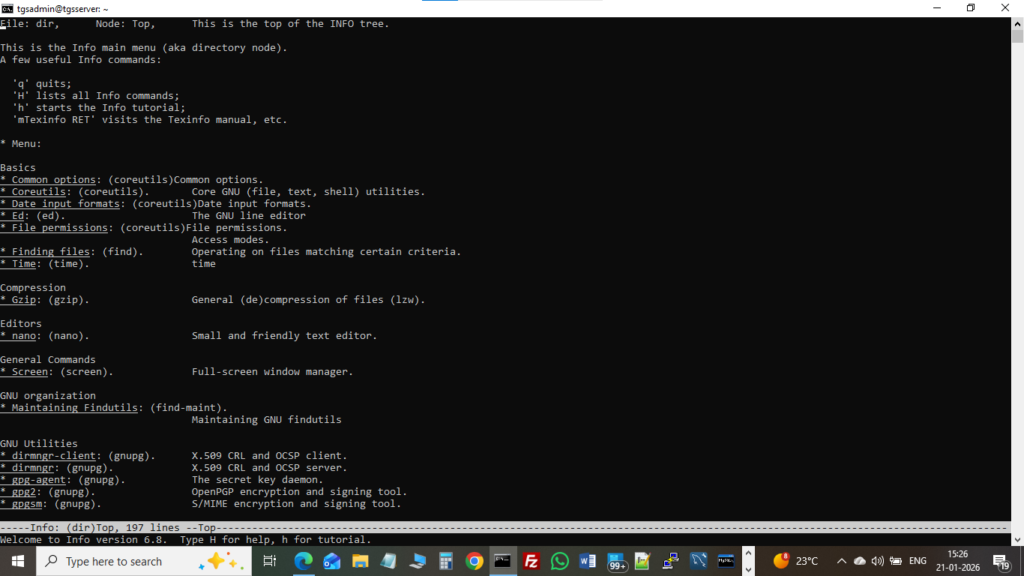
top
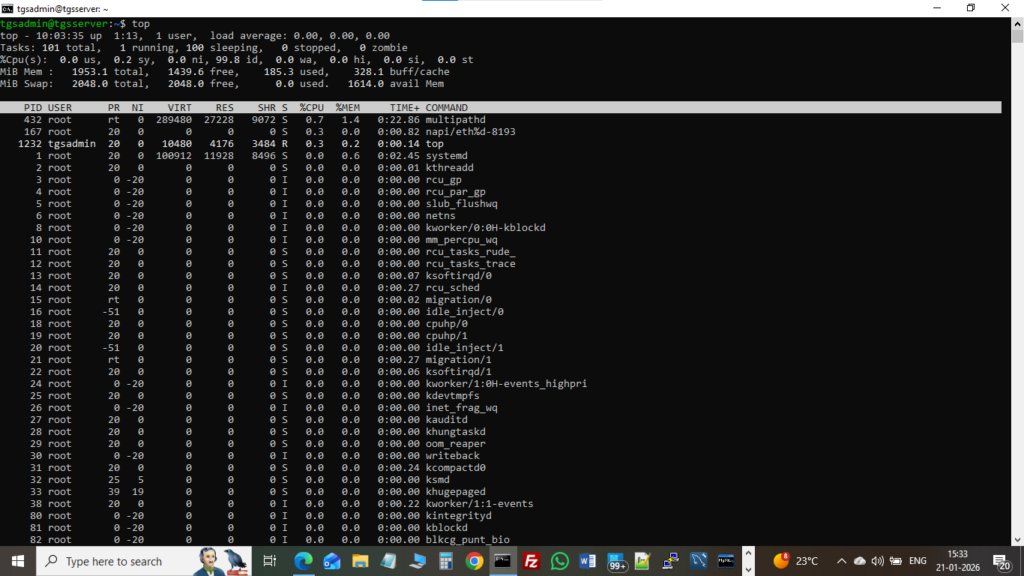
top is a real-time system monitoring command that displays processor & other system resource activities.
Basic Syntax
- $top
whatis
whatis is used to show brief or one line description about the functionality of built-in command.
Basic Syntax
- $whatis cp
- $whatis fdisk

uname -a
uname-a is used to provide a wide range of basic information about the operating system.
Basic Syntax
- $uname -a